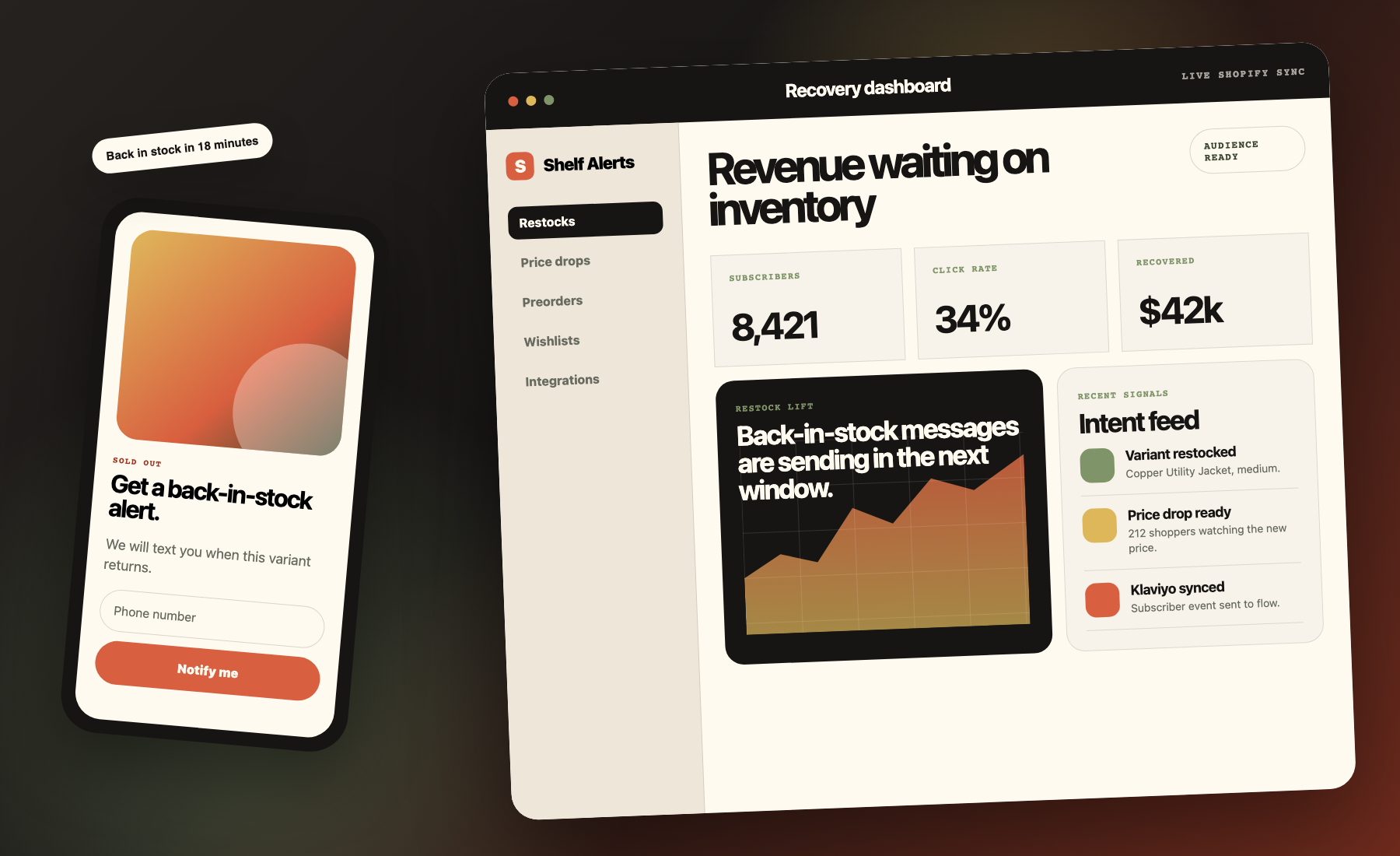
For inventory-led brands on Shopify

Turn stockouts, price shifts, and shopper intent into recovered revenue.

Shelf Alerts gives Shopify merchants one operating layer for back-in-stock, price-drop alerts, preorders, wishlists, low-stock urgency, and retargeting, with branded delivery across email, SMS, and browser push.

Install once, place the storefront widget where it fits, and manage capture, timing, delivery, analytics, and downstream sync from the same system.

What the app covers

Six storefront revenue levers in one app, plus the integrations that move subscriber and event data into the rest of your stack.

01 Back-in-stock

Recover sold-out demand

02 Price drops

Bring back price-sensitive shoppers

03 Preorders

Sell through inventory gaps

04 Wishlists

Capture save-for-later intent

05 Low-stock alerts

Add urgency as stock runs down

06 Retargeting

Re-engage shoppers who browsed

Recovery system Sold-out demand pipeline
Live inventory sync
Demand capture Subscriber added

Product page widgets capture intent the moment an item sells out.

Inventory signal Stock returns

Shopify inventory updates reactivate the waiting audience automatically.

Conversion loop Notify and convert

Branded messages go out in the right window with attribution back to revenue.

Email ready
SMS ready
Push ready

Theme-friendly storefront capture, branded delivery controls, send windows, analytics, and integration sync for Klaviyo, Mailchimp, Omnisend, Zapier, and Google Analytics.

Klaviyo Mailchimp Omnisend Zapier Google Analytics
Workflow

The recovery system behind every sold-out product page.

The best version of this product feels calm: customers raise a hand, inventory returns, and the right message goes out with enough control to protect the brand and enough data to prove the recovery worked.

01

Capture demand on the product page.

When a variant is unavailable, Shelf Alerts drops in a theme-friendly widget that collects subscriber intent without hijacking the storefront or requiring a redesign.

  • Theme app extension placement
  • Branded button and copy control
  • Email, SMS, and browser push entry points
02

Wait for the inventory signal, not manual ops.

As inventory levels change, the app handles the transition from waiting audience to send-ready cohort so teams do not have to export lists or babysit restocks.

  • Shopify inventory updates
  • Subscriber lifecycle tracking
  • Deduped send eligibility
03

Convert with branded delivery and attribution.

Merchants tune sender identity, send windows, and creative details, then trace opens, clicks, and recovered revenue from the admin instead of guessing what restocks accomplished.

  • Email preview and logo customization
  • Send-window controls
  • Conversion and revenue visibility
Email SMS Push
Inventory event Delivery orchestration Revenue signal
Restock-ready audience

Variant inventory returns. The waiting list is already segmented, the message content is branded, and the send window is respected automatically before delivery starts.

Notification payload

Customers receive a direct path back to the exact product they wanted, with storefront-safe copy, sender identity, and channel-level consistency.

Opens 72%

Healthy engagement once inventory goes live.

Clicks 34%

Traffic routed back into the store instead of into a dead list.

Recovered $4.2k

Attributed restock revenue made visible to the merchant.

Product

The controls merchants actually need, without the admin bloat.

Shelf Alerts is more than one alert type. It gives merchants a clean operating surface for messaging, timing, feature control, integrations, and measurable recovery across the full storefront lifecycle.

Customize the message, not just the trigger.

Adjust brand colors, sender identity, copy, logos, button language, and previews so the notification feels like the store, not a generic app template dropped in after the fact.

Respect send windows.

Prevent awkward off-hours delivery and keep notification timing aligned to shopper attention.

Stay theme compatible.

Place the widget without breaking Dawn-style storefronts or forcing merchants into heavy theme edits.

Built to look lighter than the work it performs.

Behind the storefront widget is a broader operating layer: subscriber tracking, analytics, list exports, integration hooks, and channel-specific settings that let merchants run alerts as part of real storefront operations, not as a disconnected plugin.

Live preview for branded notification design Analytics for subscribers, opens, clicks, and conversions Integrations for downstream marketing workflows Controls for low-stock, retargeting, wishlists, and preorders
We wanted something that looked like part of our storefront and worked like part of our operations. Shelf Alerts gave us both.
Demo merchant perspective
DTC skincare brand using alerts to recover demand across high-velocity launches
Brand fit Native feel

Customers stay in a polished storefront experience instead of hitting a generic modal.

Operator value Less manual work

Inventory returns automatically trigger the audience and message flow the team already configured.

Core features

One app, six storefront revenue levers.

Shelf Alerts centers on back-in-stock and price-drop recovery, then extends into preorders, wishlists, low-stock urgency, and retargeting so merchants can manage demand before, during, and after stock changes.

Active recovery

Back-in-stock

Capture demand on sold-out products and automatically notify shoppers the moment inventory returns.

  • Email, SMS, and browser push delivery
  • Theme-friendly widget placement
  • Subscriber tracking and conversion visibility
Price sensitivity

Price drop alerts

Let shoppers subscribe to price changes and bring them back when a product hits a better buying moment.

  • Email, SMS, and browser push price-drop messaging
  • In-stock product monitoring
  • Custom branded message styling and preview support
  • Ideal for discount-driven reactivation
Sell through stockouts

Preorders

Keep selling through inventory gaps with deposit-based preorder flows that convert demand before stock physically lands.

  • Deposit-focused purchase path
  • Variant-aware configuration
  • Works alongside alert-based recovery
Intent capture

Wishlists

Let shoppers save products for later and give merchants another durable signal of customer interest.

  • Storefront save behavior
  • Complements alerts and retargeting
  • Visible wishlist demand in admin
Urgency layer

Low-stock alerts

Show urgency counters and send follow-up messaging when recently restocked products start running low again.

  • In-browser low-stock urgency indicators
  • Low-stock storefront messaging
  • Threshold-based send triggers
  • Supports high-velocity product drops
Re-engagement

Retargeting

Reconnect with shoppers who viewed products but did not buy, using browse behavior as another recovery signal.

  • Browse-driven follow-up flows
  • Inventory-aware messaging support
  • Extends the recovery story beyond subscriptions
Integrations

Connect alert activity to the tools merchants already run.

Shelf Alerts does not stop at the storefront. It connects subscriber and event data to the systems merchants already use for lifecycle marketing, automations, and reporting.

Lifecycle marketing

Klaviyo

Sync subscribers and events to Klaviyo so alert activity can feed flows, segments, and revenue reporting.

  • Subscriber sync to selected lists
  • Restock and conversion event support
  • Useful for post-alert lifecycle automation
Audience sync

Mailchimp

Push subscribers into Mailchimp audiences and tag contacts when alert-related activity happens.

  • Audience sync for new alert subscribers
  • Tagging for restock and conversion actions
  • Works well for list-based email programs
Automation events

Omnisend

Send subscribers and event signals into Omnisend so merchants can build automation around product demand and reactivation.

  • Contact sync for alert signups
  • Custom events for subscriber, notified, and converted states
  • Supports omnichannel lifecycle flows
Workflow orchestration

Zapier

Send real-time events into Zapier to connect Shelf Alerts with internal ops, spreadsheets, CRMs, or notification workflows.

  • Webhook-based automation triggers
  • Subscriber, restock, and preorder event support
  • Flexible for custom merchant operations
Behavior tracking

Google Analytics

Track widget interactions and storefront engagement with GA4 event reporting.

  • GA4 support for widget interactions
  • Useful for storefront performance measurement
  • Ties alert capture into broader analytics
Messaging channels

SMS and browser push

Expand beyond email when the merchant is ready, with channel-specific settings, consent handling, and branded delivery controls.

  • SMS opt-in and usage controls
  • Browser push enrollment and delivery settings
  • Supports high-intent recovery strategies beyond inbox email

The goal is simple: capture demand in the storefront, then let merchants decide whether that demand should stay inside Shelf Alerts or feed the rest of their marketing and analytics stack.

Pricing

Simple plans for stores recovering real demand.

Start lightweight, then move up when notification volume and brand control become meaningful revenue levers.

Start lightweight, keep the upside.

No percentage-of-revenue pricing. The value is in giving merchants one place to run alerts, demand capture, and integrations cleanly as the storefront grows more sophisticated.

No revenue share
Free

Free

$0/mo

100 notifications per month for brands getting the recovery loop in place.

  • Unlimited subscribers
  • Email customization
  • Analytics dashboard
Scale

Growth

$39/mo

5,000 notifications per month for larger catalogs, more volume, and faster support needs.

  • Everything in Starter
  • Priority support
  • Logo upload

Run alerts like part of the storefront, not a disconnected add-on.

Shelf Alerts gives Shopify teams one place to manage back-in-stock, price-drop, preorder, wishlist, urgency, retargeting, and downstream integrations without losing brand quality.

Install on Shopify